Bamini vs TAB vs TAM Fonts: Which One Should You Use?
If you've ever received a Tamil DTP file and had no idea whether it was built in Bamini, TAB, or TAM — you're not alone. All three look similar at first glance: none of them are Unicode, all of them use an English-style keyboard to produce Tamil letters, and all of them were built for the same basic reason — typing Tamil before Unicode support existed on regular computers.
But here's what actually matters: Bamini, TAB, and TAM are three completely separate systems. Text converted for one will not work correctly in another. Picking the wrong one — or mixing them up — is one of the most common mistakes in Tamil DTP work, and it usually shows up as broken, garbled text right when a file is ready for print.
This guide breaks the difference down simply, so you know exactly which one your project actually needs.
Table of Contents
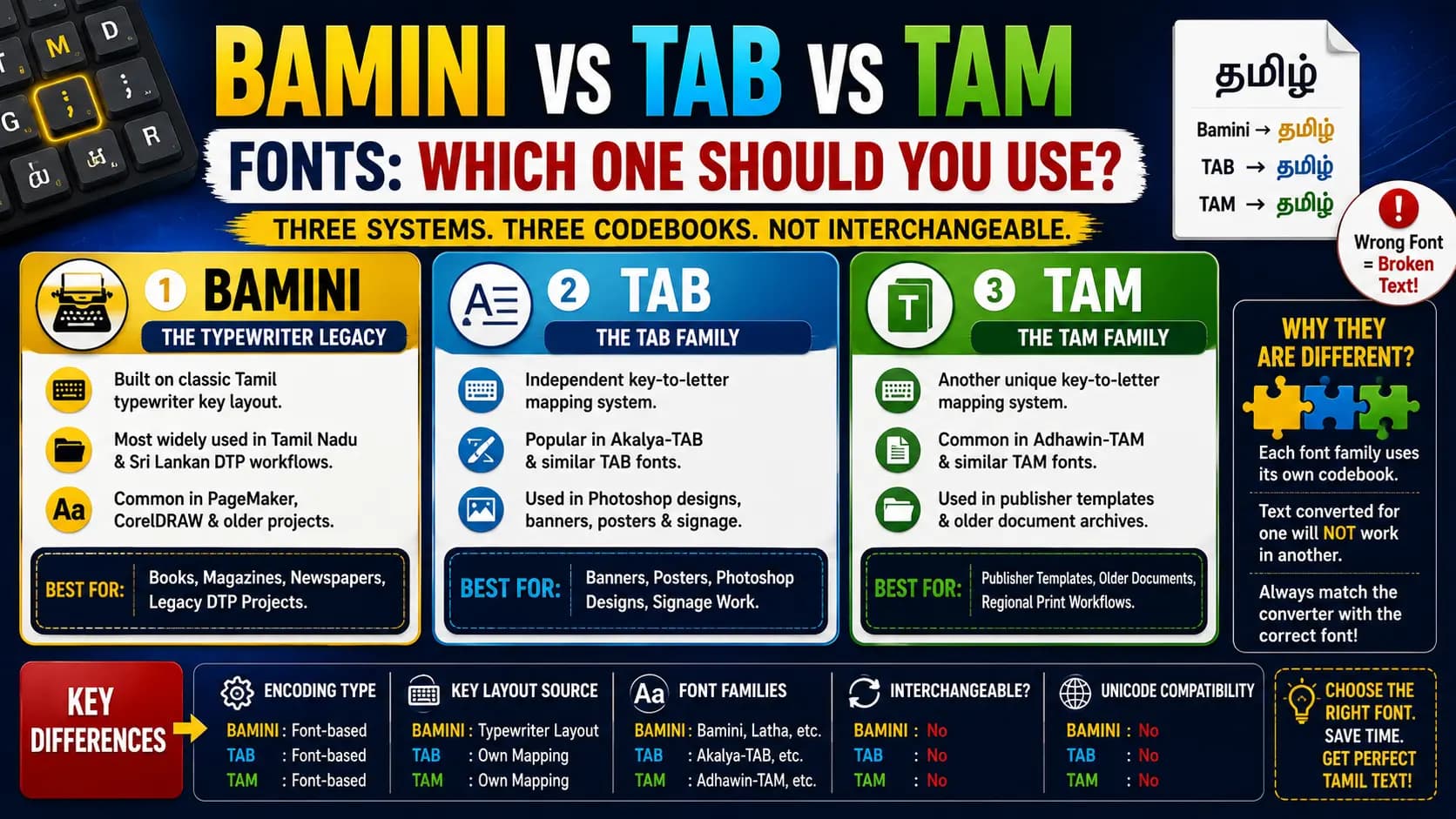
Same Tamil word, three different legacy fonts — and none of them are interchangeable.
The Simple Way to Understand All Three
Think of Bamini, TAB, and TAM as three different "codebooks." Each one takes an ordinary English keyboard key and assigns it to a specific Tamil letter shape — but each codebook assigns the keys differently.
So if you convert Tamil text using the TAB codebook, and then apply a Bamini font to that same text, the letters don't match up. You'll see broken, meaningless characters instead of Tamil — not because anything is technically wrong, but because you used the wrong codebook for the font you applied.
This is the one idea that explains almost every problem people run into with legacy Tamil fonts.
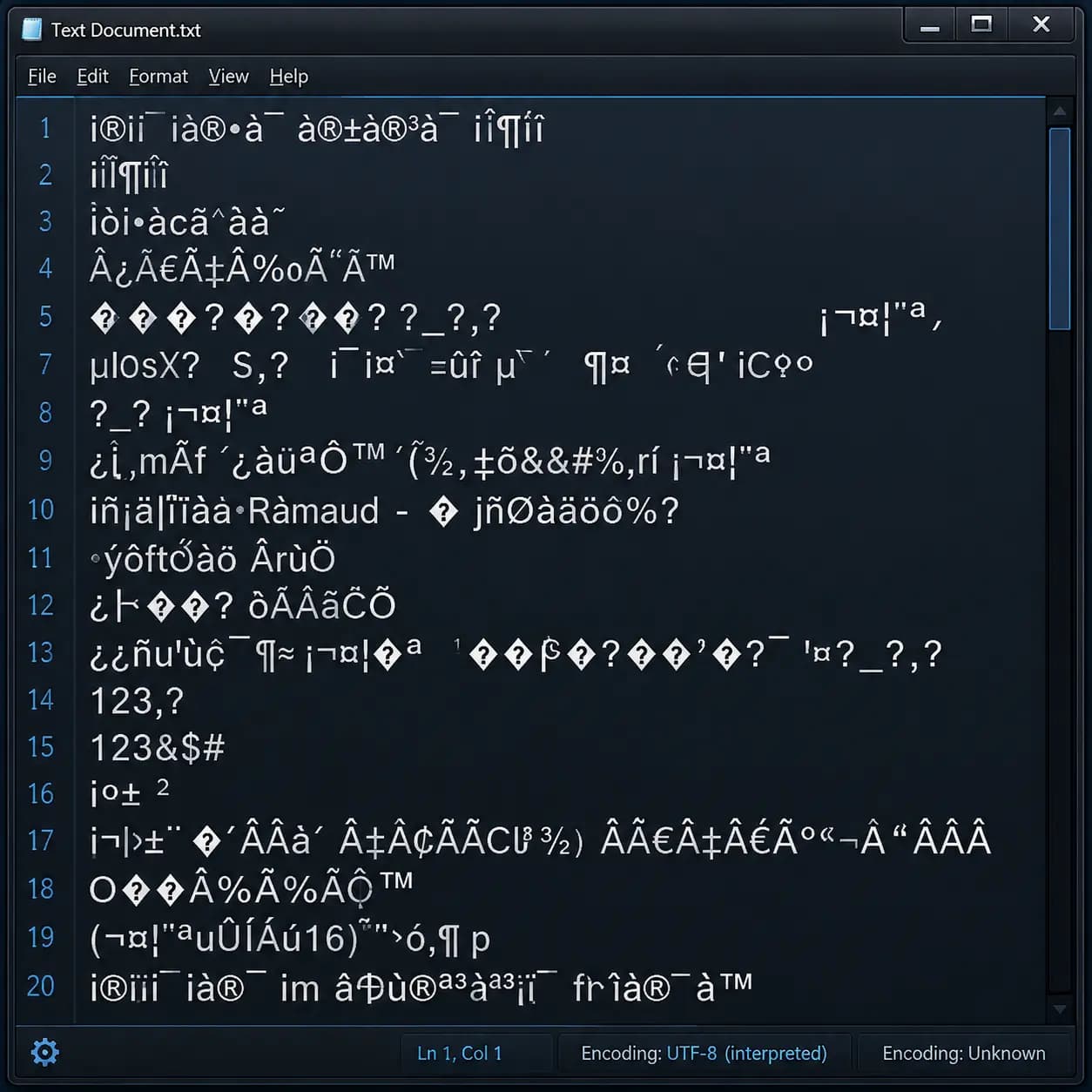
Using the wrong legacy font for converted text is the single most common Tamil DTP mistake.
What Is Bamini
Bamini is the most widely known of the three, built around the classic Tamil typewriter key arrangement. It remains common across Tamil Nadu and Sri Lankan DTP workflows, especially in older PageMaker and CorelDRAW project files, and it's usually the first legacy font design students encounter.
What Is TAB
TAB is a separate legacy Tamil font family, distinct from Bamini, most often seen in fonts like Akalya-TAB. It follows its own key-to-letter mapping, built independently of Bamini's typewriter-based system. TAB fonts show up regularly in regional print shops and Photoshop-based Tamil design work, particularly for banners, posters, and signage.
What Is TAM
TAM is another distinct legacy font family, commonly seen in fonts like Adhawin-TAM. Like TAB, it has its own unique character mapping — not shared with Bamini or TAB. TAM fonts appear frequently in specific regional publisher templates and older document archives that were never migrated to Unicode.
Bamini vs TAB vs TAM — Direct Comparison
| Feature | Bamini | TAB | TAM |
|---|---|---|---|
| Mapping System | Tamil Typewriter Layout | Independent Custom Mapping | Independent Custom Mapping |
| Compatibility | Non-interchangeable | Non-interchangeable | Non-interchangeable |
| Typical Use Today | General Tamil DTP & Print | Regional Signage, Banners, Photoshop | Publisher Templates & Older Archives |
| Typing Method | Convert from Unicode first | Convert from Unicode first | Convert from Unicode first |
| Website / SEO Use | No (Use Unicode instead) | No (Use Unicode instead) | No (Use Unicode instead) |
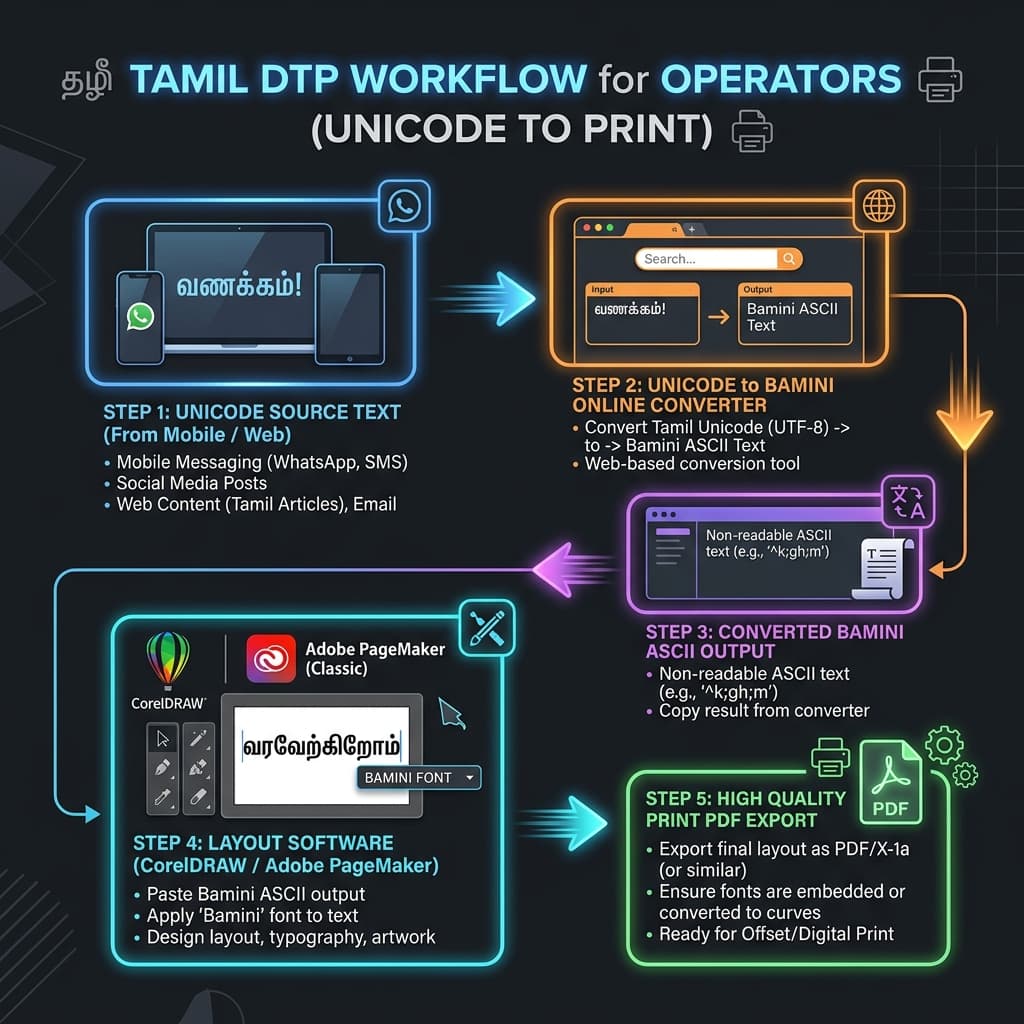
Always start from Unicode, then convert to the exact legacy font your project actually needs.
How to Know Which One You Actually Need
The honest answer is simple: you don't choose Bamini, TAB, or TAM based on preference — you use whichever one your project, template, or print vendor already requires. If a client sends a file built in TAB, you need TAB, not Bamini. If your press specifically asks for TAM output, converting to Bamini instead will not work, no matter how correct it looks on your screen.
The safest working habit, regardless of which legacy font your project needs, is the same: always write and edit your content in Unicode first, and only convert to the specific legacy font — Bamini, TAB, or TAM — right before it goes into your DTP software or off to print.
Key Takeaway
Always verify exactly which legacy font format your offset printer or design files expect before converting. A mismap can lead to unreadable glyphs at the final print stage.
Conclusion
Bamini, TAB, and TAM solve the same basic problem — typing Tamil on an English keyboard — but they do it in three separate, non-interchangeable ways. The mistake to avoid isn't picking the "wrong" one out of ignorance; it's assuming any one of them can substitute for another. Always confirm exactly which legacy font your project or print vendor requires, work in Unicode until the final step, and convert only to that specific format at the end.
Frequently Asked Questions
Ready to convert? Our main tool handles Unicode ↔ Shree Lipi with the same accuracy and speed — instantly in your browser.
Try Unicode ↔ Shree Lipi Converter