Paste Tamil Unicode text directly into a Bamini-based design file, and instead of clean Tamil script, you get a wall of random-looking English letters, broken spacing, and characters that refuse to line up correctly for print. This happens because Bamini is not a Unicode font — it is a completely different, ASCII-mapped system, and pasting modern Tamil text into it without conversion breaks the output every time, no matter how correct the original text looked on screen.
The Unicode to Bamini Converter solves this exact problem. It takes standard Tamil Unicode — or even English "Tanglish" typing — and instantly re-maps it into accurate Bamini-encoded text, ready to paste into your DTP software and display correctly the moment the Bamini font is applied.
This tool is built specifically for Tamil DTP operators, print designers, and publishers who need to move text cleanly between modern Unicode content and legacy Bamini-based production workflows — without hours of manual retyping or broken conjuncts at the printing stage.
What is Bamini Font
Bamini is a legacy Tamil font system built on the layout of the old Tamil typewriter keyboard, created long before Unicode Tamil support existed on computers. Instead of storing Tamil letters as true, standardised characters, Bamini stores text as ordinary ASCII key sequences — the Tamil appearance only exists because a matching Bamini font file redraws those ASCII bytes as Tamil glyphs on screen.
This makes Bamini fundamentally different from Unicode at a structural level, not just a different visual style. Two Tamil consonants, vowel signs, and Grantha letters such as ஜ, ஷ, ஸ, and ஹ each map to specific key positions, and combined characters depend on the exact sequence those keys were pressed in. Remove the Bamini font, or open the same text in a system expecting Unicode, and it reverts to what it technically always was underneath — plain, scrambled-looking English text.
To understand how Bamini compares to other legacy Tamil systems, see our detailed breakdown of Bamini vs TSCII vs Unicode.
Where Bamini Converter is Still Used
Bamini conversion remains an active, everyday requirement across several parts of Tamil publishing and design, not a leftover from the past. Desktop publishing studios working in Adobe PageMaker and CorelDRAW frequently rely on templates built years ago around Bamini fonts, and switching those templates to Unicode isn't always practical mid-project. Print vendors and offset printing presses in Tamil Nadu often specify Bamini as the required font for submitted files, making conversion a mandatory step before any job can go to print.
Large archives of existing Tamil material — newspaper layouts, government notices, older book files, and advertisement templates — were originally typeset entirely in Bamini and continue to be edited, reused, or updated in that same format. Individual typists and DTP operators trained on the Bamini keyboard also continue producing new content directly in this system, which regularly needs to move back and forth between Bamini and Unicode depending on whether the output is headed for print or for digital use.
For a detailed guide on the full Bamini conversion workflow, read our Unicode to Bamini Converter Guide.
How Bamini Tamil Font Actually Works
Most people assume converting Unicode to Bamini is a simple font swap, but it isn't — it's a full re-encoding process between two structurally different systems. Unicode Tamil stores every letter as its own defined character, recognised the same way on any device or software. Bamini stores the same visible word as a specific sequence of ASCII key values, which only resolves into readable Tamil once the correct Bamini font is applied on top of it.
This distinction is exactly why accurate conversion matters so much. Vowel signs that appear before a consonant in Tamil writing, conjunct characters, and Grantha letters all need to be reordered and mapped precisely to the equivalent Bamini key sequence — not simply swapped character-for-character. A converter that gets this ordering even slightly wrong produces text that looks fine at a glance but breaks visibly once the Bamini font is applied and the file goes to print.
To see the complete Bamini key positions for every Tamil character, explore our Bamini Keyboard Layout Guide.
Features of Unicode to Bamini Converter
This converter is built around the real, practical needs of Tamil DTP and publishing work, not just basic character substitution. It converts standard Tamil Unicode text into accurate Bamini output instantly, with no character limits, no sign-up, and no software installation required.
It also includes a built-in Tanglish-to-Bamini mode, so anyone comfortable typing Tamil phonetically in English can type naturally and get correct Bamini output directly, without needing a separate transliteration tool first. Reverse conversion — Bamini back to Unicode — is supported in the same interface, covering the common need to digitise or reuse older Bamini-based content for websites and modern platforms. All conversion happens directly in the browser, so pasted text is never stored or transmitted anywhere.
What Makes Unicode To Bamini Converter Reliable
A converter is only as good as its handling of Tamil's more complex structures, and this is exactly where most basic tools fall short. This converter correctly manages split and pre-positioned vowel signs, properly maps Grantha letters and conjunct combinations, and preserves spacing and word structure across long paragraphs rather than just short test phrases.
The mapping logic is built specifically around real DTP and print requirements, so output stays consistent whether you're converting a single line of text or a full page of copy for a print layout. This consistency is what actually determines whether converted text renders correctly once the Bamini font is applied in CorelDRAW, PageMaker, or InDesign — inconsistent mapping is the most common reason legacy converters produce broken output at the printing stage.
How to use Unicode to Bamini Converter
Select the Unicode → Bamini tab on the converter, then paste your standard Tamil Unicode text into the input box on the left. Click Convert, and the accurate Bamini-encoded output appears instantly in the output box on the right, ready to be copied.
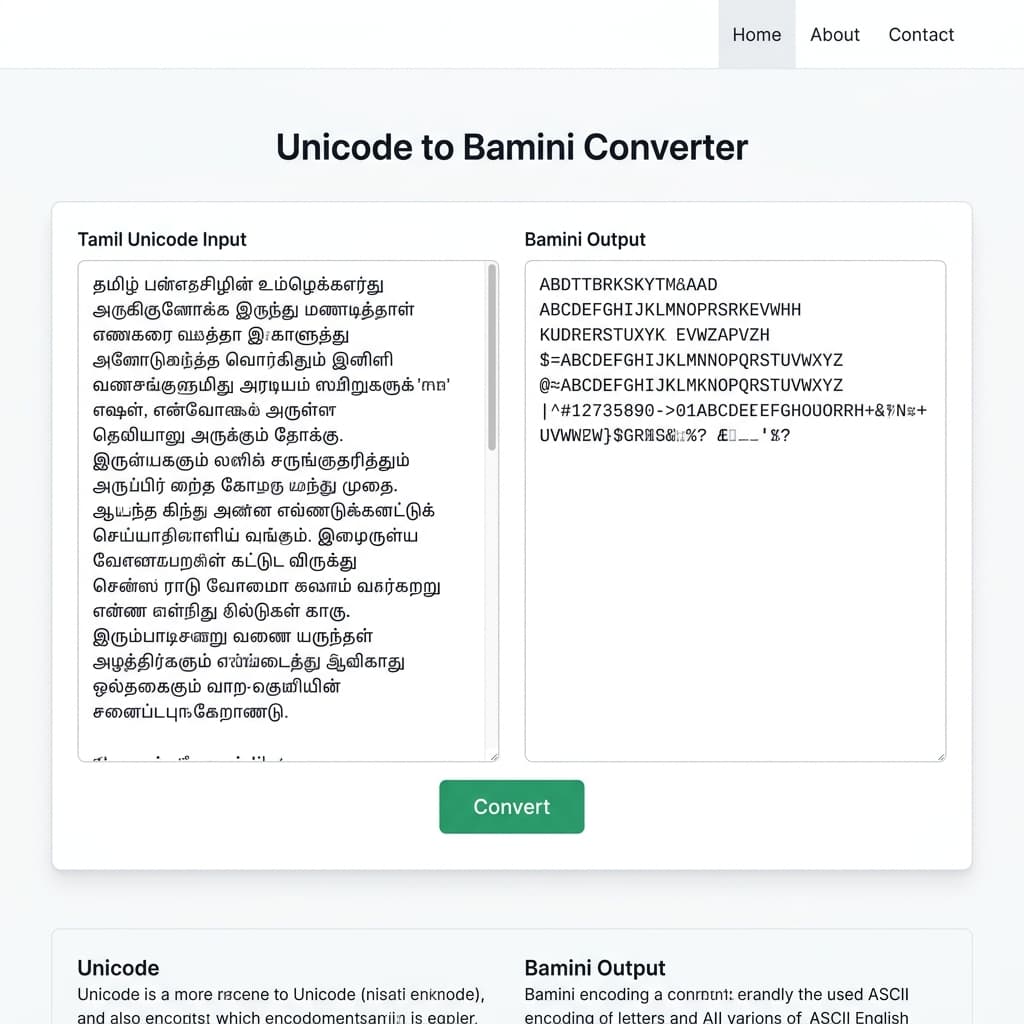
Copy the converted text and paste it directly into your DTP software — Adobe PageMaker, CorelDRAW, Photoshop, InDesign, or MS Word. Select the text and apply the Bamini font from your font list; the text will immediately render as correct, properly formed Tamil script. If you'd rather type phonetically instead of pasting existing Tamil text, switch to the Tanglish → Bamini tab and type in English — the tool transliterates and converts it to Bamini in one step.
Need the Bamini font file? Download Bamini Fonts from our fonts page.
Example: What Changes During Conversion
Take a simple Tamil phrase in Unicode: தமிழ் ஒரு அழகான மொழி. After conversion, the Bamini output looks like a string of unrelated English letters and symbols — this is expected, and it is not an error. The meaning of the text has not changed at all; only its underlying character structure has shifted from standardised Unicode code points to Bamini's ASCII key-sequence format.
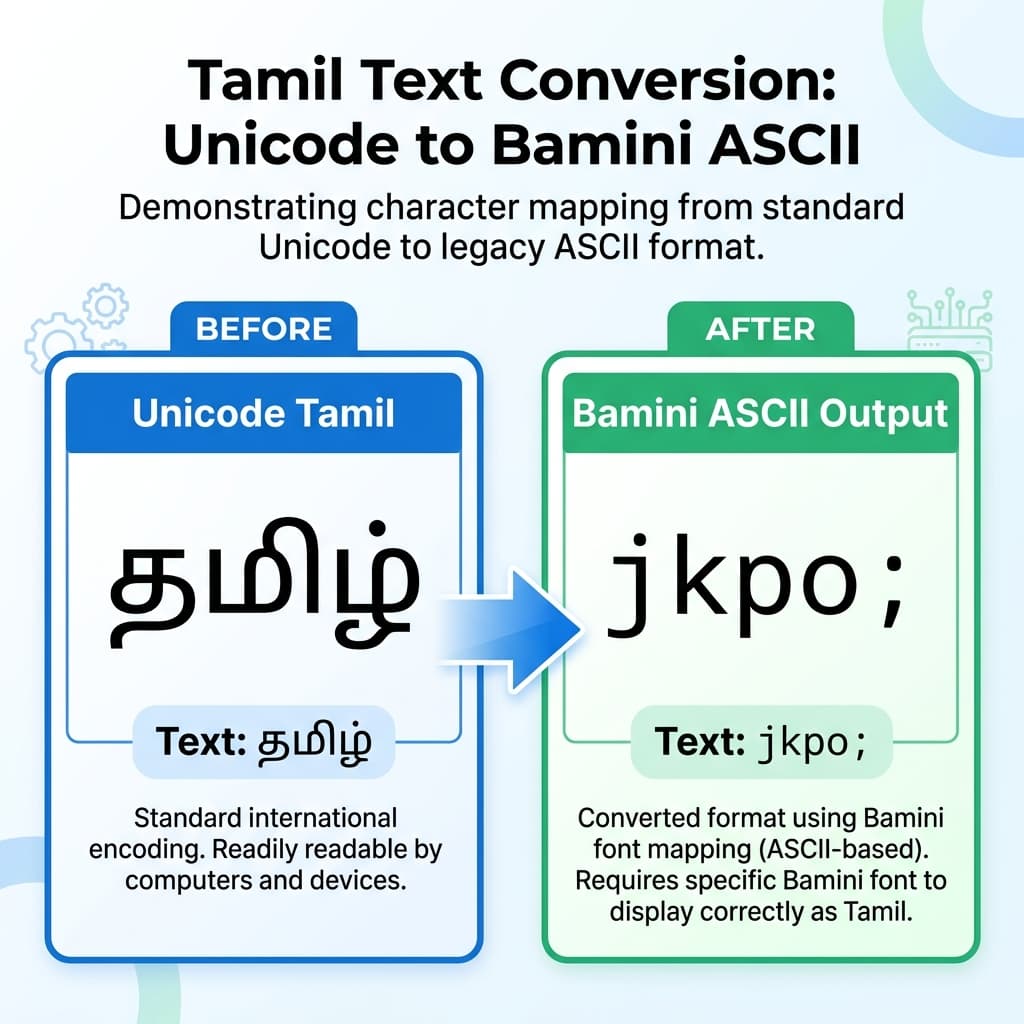
This scrambled-looking output only becomes readable Tamil again once the correct Bamini font is applied in your design software. Until that font is applied, the converted text is meant to look exactly like this — which is why understanding this step prevents unnecessary confusion for anyone converting Tamil text for the first time.
Common Conversion Problems & How to Fix Them
Output looks like random English letters
This is expected immediately after conversion. Apply the Bamini font to the pasted text in your DTP software, and it will display as correct Tamil.
Letters or vowel signs appear in the wrong order
This typically happens with low-quality converters that don't handle Tamil's pre-positioned vowel signs and conjuncts correctly. Use a converter built specifically around full Tamil character-sequencing logic rather than basic one-to-one letter mapping.
Text looks correct on screen but prints incorrectly
This usually means the Bamini font isn't properly installed or embedded in the print file. Confirm the font is installed on the machine doing the printing, and embed fonts fully when exporting to PDF.
Copy-pasting breaks spacing or formatting
This is generally an editor compatibility issue rather than a conversion issue. Paste into a standard, DTP-compatible environment such as MS Word, InDesign, or CorelDRAW, and reapply formatting if needed.
Bamini to Unicode conversion mixes up real English words
Since Bamini text is technically stored as ASCII characters, any genuine English words mixed into a Bamini file may get misread as Tamil key sequences during reverse conversion. Keep source files as close to pure Bamini Tamil as possible for the cleanest reverse-conversion results.
Conclusion
Bamini and Unicode are not interchangeable — one is a universal text-encoding standard built for the modern web, the other is a font-mapped ASCII system still essential to Tamil DTP, print, and legacy publishing workflows. The two rarely need to compete; the practical approach is writing and editing in Unicode, then converting to Bamini only at the final stage before it reaches print or a Bamini-dependent template.
The Unicode to Bamini Converter is built exactly for that final stage — handling vowel-sign ordering, Grantha letters, and conjunct characters accurately, in both directions, so DTP operators, designers, and publishers can move between modern Tamil content and legacy Bamini production without broken characters, misaligned text, or hours of manual retyping.
Looking for similar Hindi/Devanagari font conversion? Try our Unicode ↔ Shree Lipi Converter for the same accuracy across Indian language legacy font workflows.